Private shares
zrok was built to share and access digital resources. A private share allows a resource to be accessed on another user's system as if it were local to them. Only another zrok user who has your share token can access it. You're in control of who can access your private shares by sharing the share token.
Peer-to-peer private resource sharing is one of the things that makes zrok unique.
zrok also provides public sharing of resources with non-zrok users. Public resource sharing is limited to resources accessible over HTTP or HTTPS. Private sharing works with all resource types that zrok supports.
Peer-to-peer
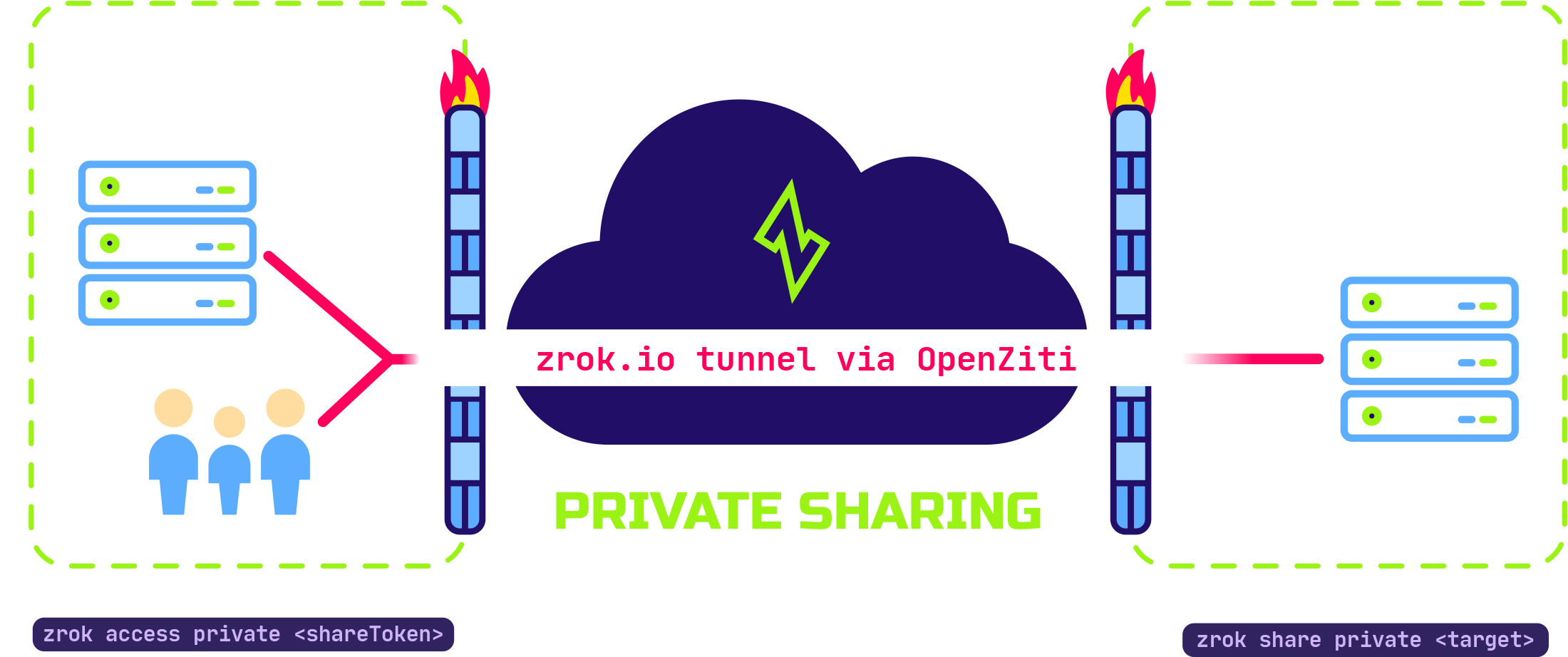
Private shares are accessed using the zrok2 access command, and require the accessing user to have an account on the
same service instance that they've already enabled with zrok2 enable.
The private share is identified by a share token. The accessing user uses the share token with the zrok2 access
command to create a local endpoint on their system, letting them use the shared resource as if it were local.
zrok doesn't require you to open any firewall ports or otherwise compromise the security of your local system — no
attack surface is exposed to the public internet. As soon as you terminate the zrok2 share process, you immediately
terminate any possible access to your shared resource.
The shared resource can be a development web server, a webhook from a cloud server, or low-level TCP and UDP network
connections using the tunnel backend. What matters is that access is private and can only be used by other zrok users
who have your share token.
The peer-to-peer capabilities of zrok are an important property of the underlying OpenZiti network that zrok uses to provide connectivity between users and resources.
To create and manage private shares, see Manage shares with the agent.
Private backend modes
The default backend mode is proxy, which targets an HTTP URL that must be reachable by the backend.
zrok2 share private 80